 Annual Goalie
Know who needs you.
Clients who updated this week rise to the top. Quiet ones sink. The whole roster’s momentum, in one glance.
For coaches
Your clients keep their annual goals in Annual Goalie. You get a dashboard that sorts them by who moved most recently and shows what changed this week.
Try the demo dashboardAbout the app ›
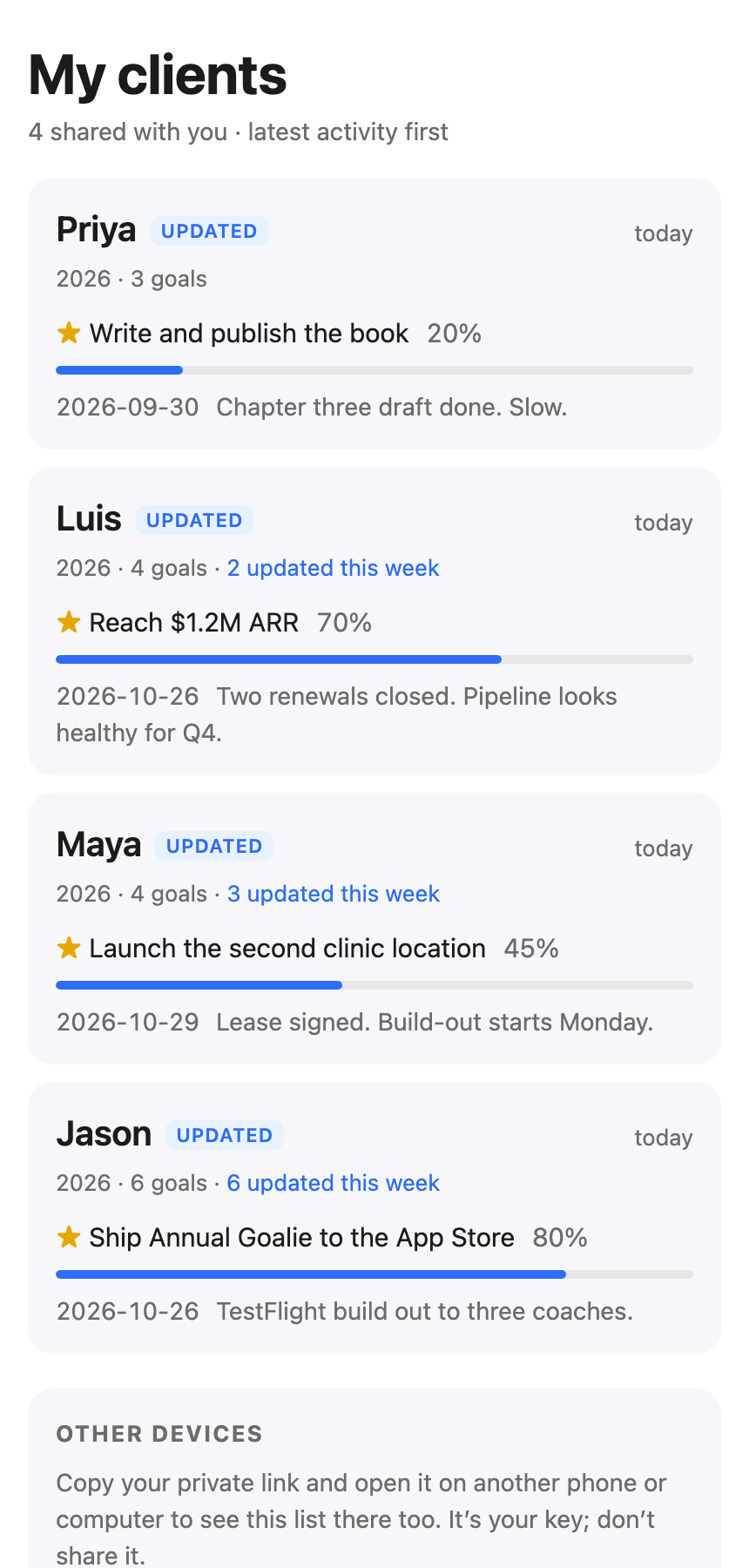
Clients who updated this week rise to the top. Quiet ones sink. The whole roster’s momentum, in one glance.
A client’s page opens on what moved this week: progress on the goal they starred, the notes they wrote, every change since you last looked. Their vision, mission and values are one scroll away.
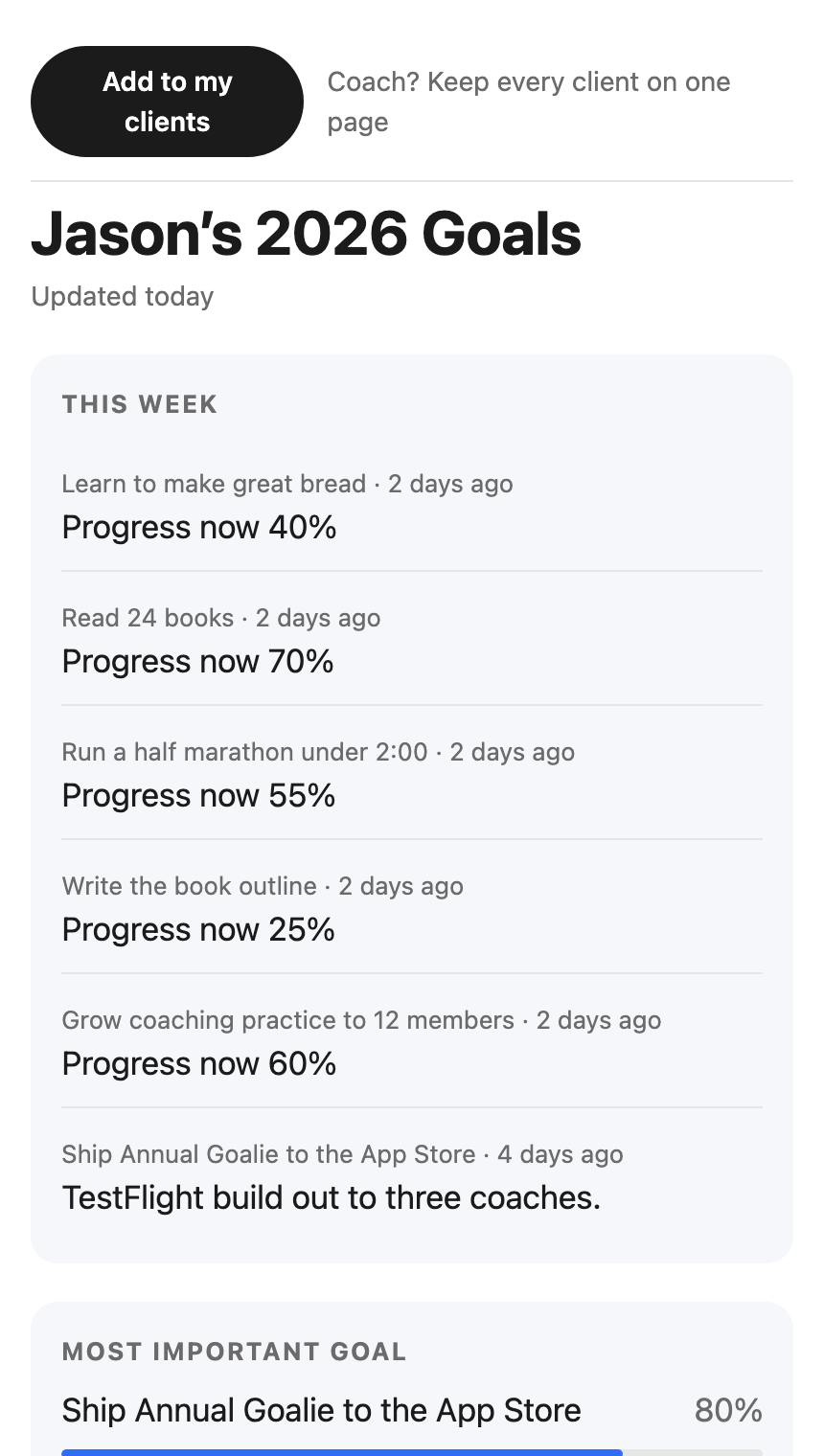
Your list lives behind a private link. Open it on any device.
When a client edits on their phone, the page updates within seconds.
It’s a web page. Safari, Chrome, a laptop, a phone.
A client can turn their page off any time. You’ll see it in your list.